Live online batches across IST, EST & GST — learners in 189+ countries

0 Cart
Home› Courses› BI and Data Visualization› OBIEE Admin
BI and Data Visualization Upskill with BISP Powered By AI

OBIEE Admin

OBIEE Admin covers Introduction to OBIEE, What is OBIEE?, OBIEE Architecture. Explore the curriculum below and discuss practical exercises with our team.

4.8  ·  Rated by learners Certificate of completion
Duration
25 Hours
Mode
Live + Recorded
Level
Beginner → Pro
Language
English / Hindi
LEARN. PRACTISE. EXPLAIN.

Turn the curriculum
into your next skill.

Explore what this course covers, try a learning preview and choose the practice you need.

01

What you'll practise

  • Introduction to OBIEE
  • What is OBIEE?
  • OBIEE Architecture
  • OBIEE System Components, Logging, and Configuration
Discuss the curriculum ↗
02

Prepare with AI feedback

Practise explaining your knowledge. Review the interview feedback, revisit a topic and try again.

Try the public interview to experience the format before choosing a paid option.

Try an AI interview ↗
03

Check your next step

Ask about prerequisites, lab access, project work and the career support available for OBIEE Admin.

Meet the trainer in a demo ↗
Compare what's included and what's optional

Live training includes the AI practice described above. The AI interview add-on provides extra attempts; other add-ons are selected separately.

OptionWhat's providedAccess / planPrice
Live Interactive ClassesTraining optionInstructor-led live sessions with recordings, hands-on assignments and a completion certificate.1 year$498
MCQsOptional add-onPractice MCQ sets for this course, scored instantly, in your dashboard.2-month subscription$2
MCQsOptional add-onPractice MCQ sets for this course, scored instantly, in your dashboard.1 year$4
AI Based Mock Interview PreparationOptional add-onFive extra AI mock interviews, each with a written feedback report.2-month subscription$32
AI Based Mock Interview PreparationOptional add-onFive extra AI mock interviews, each with a written feedback report.1 year$81

USD prices are all inclusive. Choose your options in Build your plan; checkout confirms the final total.

Course overview

About the OBIEE Admin program.

OBIEE Admin covers Introduction to OBIEE, What is OBIEE?, OBIEE Architecture. Explore the curriculum below and discuss practical exercises with our team.

Why learn with BISP

Trusted by professionals across 30+ countries.

Industry trainers

Certified consultants with 12+ years of real project experience.

Hands-on practice

Real-time scenarios & live project modules, not just slides.

Placement support

Resume building, mock interviews & job referrals.

Certification

BISP certificate + full guidance for official exams.

Course curriculum

Designed by real-time industry professionals around current job roles.

Download curriculum (PDF)
13 modules 178 topics
01 Course overview 21 topics
  • Introduction to OBIEE
  • What is OBIEE?
  • OBIEE Architecture
  • OBIEE System Components, Logging, and Configuration
  • BI Domain Architecture
  • BI Integration with Other Products
  • OBIEE Documentation
  • The OBIEE Sample Application
  • The Sample App – The Dashboard Pages
  • The Sample App – The Simple Demo
  • The Sample App – Reverse Engineering It
  • The Sample App – Installed Users
  • Starting and Stopping BI Services
  • Logging in and out
  • The BI Web Interface
  • The Global Header
  • Acting as Another User
  • Setting Preferences
  • The Catalog Menu
  • Hands-on Lab Exercises
  • OBIEE Management Tools
02 Overview of OBIEE Management Tools 15 topics
  • The Fusion Middleware Control
  • The Fusion Middleware Control
  • Fusion Middleware Control – The Core Application
  • Uploading the Repository
  • WebLogic Server Console
  • WebLogic Server Administration Control
  • Starting and Stopping the Weblogic Server
  • The WLST Tool
  • WLST – Connecting and Disconnecting
  • Enabling the SSL Port
  • WLST Scripts
  • The BI Admin Tool
  • The Job Manager
  • Configuration Files
  • Administering the Repository
03 The Administration Tool 10 topics
  • The OBI Data Layers
  • Viewing Physical Tables
  • Checking Data Consistency
  • Viewing Logical Tables
  • Viewing the Presentation Layer
  • Uploading the Repository
  • Repository Version Numbers
  • Using the MBean Browser for Repository Configuration
  • Hands-on Lab Exercises
  • Managing Variables
04 Introduction to Variables 26 topics
  • Session Variables
  • System Session Variable Reference
  • Setting Non-System Session Variables
  • Creating New Variables
  • Initialization Blocks
  • Associating Variables with Initialization Blocks
  • Viewing Current Variable Values
  • Testing Session Variables From Filters
  • SQL-Based Non-System Session Variables
  • Referencing the Session Variable
  • Repository Variables
  • Example – Dynamic Repository Variable
  • Testing Repository Variables with Filters
  • Presentation Variables
  • Predefined Presentation Variables
  • Referencing a Presentation Variable from a Title View
  • Prompts and Presentation Variables
  • Testing the Analysis Prompt
  • Presentation Variables in Conditional Formatting
  • Referencing a Variable with Conditional Formatting
  • See it in Action!
  • Column Prompts
  • The Prompts Editor
  • Column Prompts in Action
  • Hands-on Lab Exercises
  • Managing OBI Security
05 Authentication and Authorization Concepts 21 topics
  • Application Policies and Application Roles
  • Users, Groups, and Roles
  • The WebLogic Security Realm
  • Creating Users
  • Security Providers
  • Changing the Security Provider
  • Managing User Passwords
  • Managing Password Lockout
  • Adding Users to GroupsCreating Application Groups
  • Application Roles
  • Adding Users to Application Groups
  • Creating a New Application Role
  • Application Role Privileges
  • Associating Application Groups with Roles
  • Associating Users with Application Groups
  • Testing Your New User
  • Setting Object Permissions
  • Setting up User Proxies
  • Proxy Privilege (cont’d)
  • Hands-on Lab Exercises
  • Managing the Catalog
06 Catalog Overview 17 topics
  • The Catalog Location
  • Creating a New Catalog
  • Deploying a Catalog to Production
  • The Catalog Manager
  • Catalog Manager – Online vs Offline Mode
  • Opening in Offline Mode
  • Deploying Catalog Objects
  • Updating Catalog Objects
  • Catalog Validation
  • Setting Object Permissions through Catalog Manager
  • Managing Catalog Groups
  • Setting Object Properties
  • Copying and Pasting Objects
  • Paste Preferences
  • Renaming Objects
  • Searching for Catalog Objects
  • Hands-on Lab Exercises
07 Configuring Analyses and Dashboard Settings 24 topics
  • Setting Default Max Records
  • Setting View Properties
  • Data Attributes for Views
  • Configuring Graphs and Gauges
  • Setting Alternating Bar Colors
  • View Interaction Settings
  • Analysis
  • Interaction Properties
  • Interaction Property
  • Add Remove Values true
  • Configuring Prompts
  • Presentation Defaults
  • Customizing the Global Header Links
  • Global Header Links – Elements and Attributes
  • Enabling Custom Links
  • Dashboard Page Links
  • Setting Alternate Toolbar for BI Publisher Reports
  • Setting Default Footers in New Analyses
  • Auto-Preview Settings
  • Setting Default Views with New Analyses
  • Setting Dashboard Drilling Behavior
  • Dashboard Headers, Footers, and Orientation
  • Hands-on, Lab Exercises
  • Agent and Mail Management
08 Introduction to Agents 6 topics
  • Agent Permission Requirements
  • Configuring the Mail Server
  • What are Alerts?
  • Saving Agents
  • Hands-on Lab Exercises
  • Configuring Writeback
09 Overview of Writeback 4 topics
  • Configuring Write-Back
  • Sample Write-Back Template
  • The LightWriteback XML Element
  • Lab Exercises
10 Viewing BI Metrics 6 topics
  • Monitoring WebLogic Java Components
  • Query Performance Tuning
  • Fusion Middleware Control Performance Parameters
  • Viewing and Purging the Cache
  • Hands-on Lab Exercises
  • Diagnosing Problems
11 Auditing Tools 12 topics
  • Fusion Middleware Overview Page
  • Fusion Middleware Diagfnostics
  • Diagnostic Log Files
  • Configuring Diagnostics Log Settings
  • Configuring Log Output Type
  • Configuring Log Writers
  • Query Logging
  • Query Log Levels
  • The Log Viewer Utility
  • Reading the Query Logs
  • Hand-on Lab Exercises
  • OBIEE Backup and Recovery
12 Backup Overview 12 topics
  • Files to Backup
  • Backing Up MDS and BIPLATFORM Database Schemas
  • Backing up the Homes
  • Back Up Windows Registry Entries
  • Recovery Basics
  • Hands-on Lab Exercises
  • Overview of NQSConfigINI File
  • Repository
  • Query Result Cache
  • Usage Tracking
  • Query Optimization
  • Aggregate Persistence
13 Cache Management in OBIEE 4 topics
  • overview of cache architecture
  • purging cache
  • scheduling cache
  • manual and automatic cache in obiee

Course details

Who it is for, what you need, and how it is delivered.

Who should learn OBIEE Admin?

.

Prerequisites

.

Class delivery

Live Interactive classes with expert

Certificate of completion

Earn an industry-recognised BISP Trainings certificate when you finish the course.
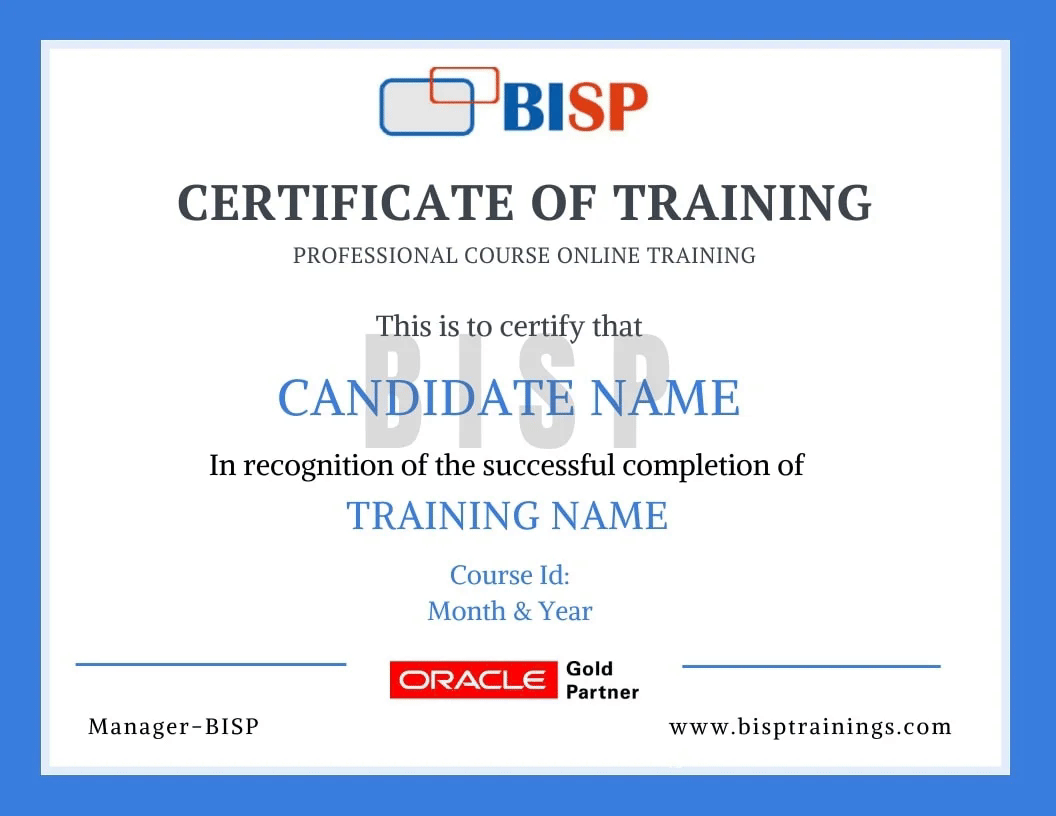
BISP Trainings Certificate of Completion
  • Verifiable certificate with a unique ID
  • Shareable on LinkedIn & your resume
  • Recognised by our hiring partners

Frequently asked questions

Everything you need before you enroll.

Can I attend a demo session before enrollment?

Yes. You may attend a demo class before enrollment for training quality evaluation, and interact one-to-one with the trainer for any specific requirement.

Can you schedule training as per my availability?

Yes. We discuss it with the trainer and schedule the training at a convenient time for you.

What if I miss a class?

You get the recorded session. You may also retake the whole training multiple times within a 6-month period with the same trainer.

Is there live project training?

Yes. The curriculum includes real-time scenarios and live project modules, with the trainer explaining every topic end-to-end.

How can I pay for the course?

Enroll securely via the payment gateway on this page using card, UPI or net-banking. EMI options are available.

More queries?

Call us at +91 769-409-5404, or write to support@bisptrainings.com.

Case studies & learning PDFs

Free BI and Data Visualization resources to explore.

Not sure if this course is right for you?

Book a free 1-on-1 counselling call and get a personalised learning roadmap.

Book free trial →
Chat on WhatsApp